Versatile tool for managing and integrating diverse information and project elements seamlessly
Versatile tool for managing and integrating diverse information and project elements seamlessly
Vote (2 votes)
Program license Free
Developer Jürgen Viestenz - Softwork Software Vertrieb
Version 1.05.3 (EN+DE setup)
Works under Windows
Vote
(2 votes)
Developer
Jürgen Viestenz - Softwork Software Vertrieb
Works under
Windows
Program license
Free
Version
1.05.3 (EN+DE setup)
Pros
- Highly flexible information and project management
- Integrated file management, backup, and MP3 support
- Drag-and-drop interface for fast organization
- HTML export for easy sharing and presentation
- Useful for a wide range of users and professions
Cons
- Interface is utilitarian and may not appeal to everyone
- Lacks advanced collaboration features found in dedicated team platforms
- Initial learning curve to uncover all available functions
A flexible information and project management tool with file and media support.
Overview
inEx information explorer is a multifunctional software designed to help users organize, manage, and document projects and diverse types of information. The application combines aspects of notebook-style data entry with a robust suite of file management tools, resulting in a workspace suitable for students, professionals, creatives, and small business owners.
Key Features
Versatile Information Management
inEx excels in handling structured and unstructured data. Users can create outlines, gather research material, jot down notes, or store web clippings, making it a suitable alternative to classic notetaking apps and project management systems. The drag-and-drop interface enables rapid collection and sorting of digital content, supporting a variety of workflows.
File Management Tools
The software incorporates essential file management functions, including opening, renaming, deleting, moving, copying, and creating backups of files. Its PasteAsFile feature allows saved clipboard content to be directly stored as a file, useful for quickly archiving ideas or research material.
Media and Web Integration
Beyond handling text and documents, inEx supports MP3 file management, enabling users to catalog and organize audio recordings or music libraries. The built-in download function allows easy retrieval of files from the web, and the feedReader keeps users up to date with selected RSS feeds.
Export and Reporting Tools
The software can export data as HTML files, benefiting users who need to present information as web pages or create shareable reports. Features like the "treePage" and "pageFab" enable structured exporting, preserving the original hierarchy of the user's notes or research.
User Experience
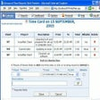
inEx presents a familiar yet customizable interface that resembles a digital notebook combined with a file explorer. It offers users the freedom to tailor their workspace for simple to complex projects, thanks to its flexibility and the absence of restrictive templates. Moreover, the drag-and-drop capabilities streamline the integration of content from various sources, including web browsers and other applications.
Unlike many overly specialized solutions, inEx does not lock users into a specific workflow or data structure. This makes it suitable for a range of needs, from student study organization to researcher data collation, and project tracking for small teams or individuals.
Performance and Compatibility
inEx runs on Windows and offers reliable performance for everyday management of projects and files. Although the interface puts function before form, those who value straightforward usability over design polish will appreciate its direct approach. The software is lightweight and responsive, even when handling large amounts of data or numerous files.
Practical Applications
inEx information explorer is well suited to anyone whose work involves collecting, sorting, or presenting information. Students and academic professionals can use it to manage research projects. Small business managers may find it valuable for maintaining project documentation and file backups. Web designers, journalists, and collectors will likewise benefit from its flexible structure and media handling capabilities.
Pros
- Highly flexible information and project management
- Integrated file management, backup, and MP3 support
- Drag-and-drop interface for fast organization
- HTML export for easy sharing and presentation
- Useful for a wide range of users and professions
Cons
- Interface is utilitarian and may not appeal to everyone
- Lacks advanced collaboration features found in dedicated team platforms
- Initial learning curve to uncover all available functions